How to Select the Best Solder Paste for Your PCB Projects
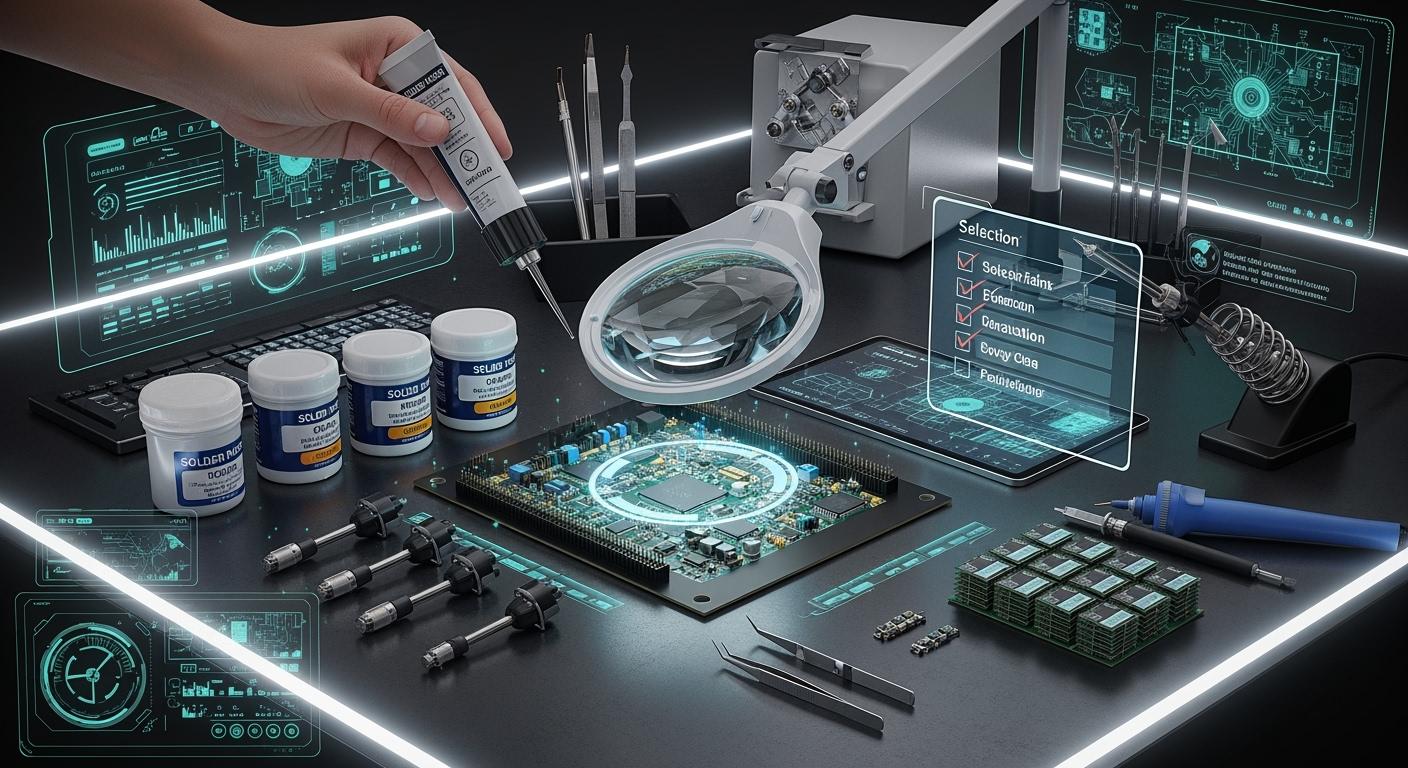
To pick the best solder paste, you should check the alloy type, flux type, particle size, and any special features that fit your PCB project. Solder paste helps connect electronic parts to your board and holds them in place during assembly. If you pick the right paste, you can stop many problems from happening. About 80% of bad products in SMT assembly are caused by using the wrong solder paste printing. When you choose, you need to look at the alloy, the flux, and any special flux features. What you pick will affect how strong and dependable your final assembly is.
Key Takeaways
Pick solder paste that fits your project’s needs. Think about the board type, the size of parts, and how you will put them together.
Choose the right particle size for your solder paste. This helps cover the board evenly and makes strong connections. It is important for small parts.
Look at the solder alloy type. Lead-free is safer and follows rules. Check the melting temperature so you do not hurt sensitive parts.
Match the flux type to how you build your board. This stops cleaning problems and helps your project work well.
Always read the datasheet for details. Use a checklist so you do not make mistakes when picking solder paste.
Project Requirements for Solder Paste
Before you choose a solder paste, you need to look at your project’s needs. Each PCB project is different. You should think about the type of board, the size of the parts, how you will put the parts on the board, and where the board will be used. These details help you pick a paste that works best for your job.
PCB Complexity and Component Size
The size and layout of your PCB matter a lot. If your board has tiny parts or fine-pitch components, you need a paste with smaller particles. This helps you get even coverage and fewer mistakes. The table below shows how particle size matches different needs:
Solder Paste Type | Particle Size | Suitable For | Key Benefits |
|---|---|---|---|
Type 4 | Smaller | Fine-pitch components (0.4 mm or less) | Better printability, reduces defects, even solder |
Type 3 | Larger | Standard applications | Good for bigger parts, less shifting |
If you use the wrong type, you might see problems like poor connections or extra solder.
Assembly Process Considerations
You should also think about how you will build your board. Will you use machines or do it by hand? For high-volume runs, no-clean paste saves time because you do not need to wash the board. For small runs or prototypes, rosin paste works well. If your parts are sensitive to heat, pick a low-temperature alloy. Make sure the paste matches your equipment and the materials on your board. This helps you avoid problems during assembly.
Choose lead-free paste for RoHS-compliant projects.
Use water-soluble paste for high-reliability needs.
Pick a paste that fits your reflow oven’s temperature profile.
Environmental and End-Use Factors
Where and how your board will be used also affects your choice. Some pastes clean up with gentle solutions, which is better for the environment. If your board needs to last a long time or work in tough places, pick a paste that leaves little residue and sticks well to hard-to-solder materials. You should also think about cost and how easy it is to clean after soldering. Good planning here helps your board work better and last longer.
Tip: Always match your solder paste to your project’s needs for the best results.
Solder Alloy Selection
Picking the right solder alloy is very important. You should check the type of solder, how hot it melts, and how strong it is. Every project is different, so you need to match the alloy to your board and how it will be used.
Leaded vs. Lead-Free Options
There are two main kinds of solder: leaded and lead-free. Most electronics now use lead-free solder. This is because it is safer for people and the earth. Leaded solder is still used in special jobs like in planes or the military. These jobs have strict rules that let them use leaded solder. You should always check what rules your project must follow before picking a solder.
Here is a quick comparison:
Aspect | Lead-Free Solder | Leaded Solder |
|---|---|---|
Melting Point | 217-221°C | ~183°C |
Thermal Stress | Higher due to elevated melting points | Lower, easier on components |
Environmental Impact | Positive, reduces health risks | Negative, contains lead |
Compliance | Mandatory for most consumer electronics | Used in high-reliability sectors |
Performance | Stronger joints, but potential issues | Reliable with excellent mechanical properties |
Lead-free solder is better for the environment but costs more and gets hotter.
Leaded solder melts at a lower heat, so it is easier to use and less likely to hurt parts.
Many rules say you must use lead-free solder, but some jobs still use leaded solder for safety.
Tip: Always check if your project needs to follow RoHS or other rules before you pick a solder alloy.
Melting Temperature and Strength
You need to know the melting temperature of your solder alloy. This helps you set your reflow oven and keeps your parts safe from too much heat. Leaded solder melts at about 183°C. Lead-free solder, like SAC305, melts between 217°C and 221°C. Some special alloys, like Sn-Bi, melt at lower temperatures.
Here is a table showing common melting points:
Solder Type | Melting Temperature (°C) |
|---|---|
Leaded Solder (Sn63/Pb37) | ~183 |
Lead-Free Solder (SAC305) | 217–221 |
SAC405 | 217–225 |
SAC0307 | ~227 |
Sn99.3Cu0.7 | 227 |
Sn-Bi | 138–170 |
Strength is important too. Lead-free alloys like SAC305 make stronger joints and last longer when heated and cooled many times. Leaded solder is not as strong but is easier to use and works well.
Alloy Type | Mechanical Strength | Thermal Fatigue Resistance |
|---|---|---|
SAC305 | Higher | Better |
SnPb | Lower | Poorer |
Note: If your board will be in tough places or get hot and cold a lot, pick an alloy that is strong and can handle it.
Common Solder Alloy Types
There are many popular solder alloys used in electronics. Each one is good for different jobs:
SAC305 (96.5% tin, 3% silver, 0.5% copper): This is used a lot because it works well.
SAC0307: This one is cheaper and good for many projects.
SAC405: This is good for jobs that need to last, like in cars or hospitals.
Sn99.3Cu0.7: This works well for wave soldering.
Sn-Bi: This is good when you need to use low heat.
High-reliability solder pastes are made to last in hard places. You need these for cars, planes, and phone boards. Things like wetting and voiding matter if you want your board to last a long time.
Callout: Always pick a solder alloy that matches your project’s needs and how you will put it together. This helps you avoid mistakes and makes sure your board works right.
Solder Flux Types
Rosin, No-Clean, Water-Soluble Flux
You will find three main types of flux in solder paste: rosin, no-clean, and water-soluble. Each type has its own strengths and weaknesses. You should know how each one works before you choose.
Rosin Flux comes from pine resin. People have used it for centuries. It works well with many boards and parts.
No-Clean Flux leaves very little residue. You do not need to clean the board after soldering in most cases.
Water-Soluble Flux uses special resins that dissolve in water. You must wash the board after soldering to remove all residue.
Here is a table to help you compare these flux types:
Flux Type | Advantages | Disadvantages |
|---|---|---|
Rosin | Versatile and works with many components and boards. | Sticky residue can attract dust and affect reliability if not cleaned. |
No-Clean | Saves time and cost by skipping cleaning. | Residue may interfere with coatings or testing if not managed. |
Water-Soluble | Easy to clean with water for a spotless board. | Needs a cleaning step, which adds time and cost. |
Note: The IPC J Standard classifies fluxes by their makeup and activity. Rosin fluxes are marked as RO. No-clean fluxes can use natural or synthetic resins. Water-soluble fluxes always need a water rinse.
Cleaning and Residue Needs
You must think about cleaning and residue when you pick a flux. Flux residue can cause problems if you leave it on the board. It may lead to electrical malfunctions and lower the reliability of your PCB. Residue can also increase resistance and weaken signals. Over time, sticky residue can make your board less stable, especially if it faces shock or vibration.
Cleaning removes harmful residue and keeps your board working well.
No-clean flux leaves little residue, but you must check if any leftover material will cause trouble.
Water-soluble flux needs a full wash with water after soldering.
Rosin flux often needs cleaning, especially if you want your board to last a long time.
Tip: Always check if your project needs a clean board for coatings or testing. Good cleaning keeps your PCB strong and reliable.
Application Compatibility
You should match the flux type to your assembly process. Some fluxes work better with machines, while others suit hand soldering.
Liquid flux is common in automated assembly lines.
Water-soluble flux works well for high-volume jobs. It lets you clean boards quickly with water.
No-clean flux is great for fast production where you do not want extra cleaning steps.
Rosin flux is flexible and works for both hand and machine soldering.
Think about your process and tools before you choose. The right flux type helps you get better results and makes your work easier.
Callout: Pick a flux that fits your assembly method and cleaning needs. This choice will help you avoid problems and save time.
Solder Paste Particle Size
Type 3, Type 4, Type 5 Explained
You will find different types of solder paste based on particle size. The most common types are Type 3, Type 4, and Type 5. Each type fits a special need in PCB assembly. The table below shows how these types compare:
Solder Paste Type | Particle Size (μm) | Applications |
|---|---|---|
Type 3 | 20-45 | Standard SMT applications with pitches of 0.65 mm or larger |
Type 4 | 20-38 | Higher accuracy jobs like smartphones and tablets, smaller stencil apertures |
Type 5 | 10-25 | Ultra-fine pitch components below 0.4 mm, such as chip-scale packages, micro BGAs |
You should always match the particle size to your project’s needs. Smaller particles work better for tiny parts and tight spaces.
Fine Pitch and Stencil Printing
Fine-pitch components need special care during assembly. If you use smaller particle sizes, you get smoother flow through small stencil openings. This helps you place solder paste exactly where you want it. Larger particles can clog the stencil and cause uneven paste deposits.
Type 4 and Type 5 pastes are best for fine-pitch jobs.
Type 4 (20-38 microns) works well for most fine-pitch needs.
Type 5 (10-25 microns) is great for ultra-fine pitch and micro BGA components.
Tip: For high-quality stencil printing, always pick a paste that matches your smallest aperture size.
Choosing the Right Particle Size
You must pick the right particle size for your PCB project. The table below can help you decide:
Type | Particle Size (μm) | Typical SMT Application |
|---|---|---|
Type 3 (T3) | 25-45 | Standard components, 0.5 mm pitch and larger |
Type 4 (T4) | 20-38 | Fine-pitch, 0.4 mm pitch, BGA |
Type 5 (T5) | 15-25 | Ultra-fine pitch, 0.3 mm pitch, Micro BGA |
Make sure at least five solder spheres fit across the smallest stencil opening.
Picking the wrong size can cause transfer problems and weak joints.
Always check your component pitch and stencil design before you choose.
Note: The right particle size helps you get strong, reliable connections and reduces defects in your assembly.
Special Solder Paste Features
Low-Voiding and Rapid Reflow
You can make your PCB assembly better by picking solder paste with special features. Low-voiding paste helps you follow strict rules, like IPC-7097A, which says voiding must be under 20%. Rapid reflow paste heats up fast, in less than five seconds, and stops spattering. These features help your assembly go faster and make it more dependable. Smaller particle sizes, such as Type 3 and Type 4, help you print better and lower voiding. You also get good thermal stability, so the paste does not activate too early or make solder balls.
Feature | Description |
|---|---|
Rapid Reflow | Heats in under 5 seconds, prevents spattering. |
Low-void | Meets voiding limits under 20% for IPC-7097A. |
Particle Size | Smaller particles improve printability and reduce voiding. |
Viscosity | Compatible with stencil printing for precise deposition. |
Thermal Stability | Withstands reflow temperatures without premature activation or solder balling. |
Some well-known low-voiding pastes are M8, J8, NC257MD, and V9. These pastes let you print fine pitch, leave little residue, and are very reliable.
Residue Control
Residue control is important for cleaning after assembly. If you use solder paste with low-residue flux, cleaning is easier. Setting your reflow profile right also helps you have less leftover flux. No-clean pastes need special cleaners and ways to remove residue. If residue control is not good, cleaning gets harder. You must use defluxing chemicals, mechanical energy, and rinse well to get a clean board. Good residue control saves time and keeps your PCB working well.
Tip: Pick solder paste with low-residue features to make cleaning simple and help your PCB last longer.
Shelf Life and Storage
You need to store solder paste the right way to keep it good. Most pastes last from 6 to 12 months if you keep them in a fridge. The best temperature is between 2°C and 10°C (35°F to 50°F). Always keep the paste in its original sealed container. If air gets in, the paste can get wet or dry out, which makes it work worse.
Store paste in a fridge.
Keep the container closed tight.
Use paste before it expires for best results.
Note: Storing paste the right way helps it last longer and keeps your PCB projects working well.
Solder Paste Selection Tips
Reading Specifications
Always look at the datasheet before picking solder paste. The datasheet gives you important details. It tells you about the alloy, particle size, flux, and viscosity. These things help you choose the right paste for your project. The alloy changes how hot the paste melts and how strong it is. Particle size shows if the paste works for tiny parts. The flux type tells you if you need to clean the board. Viscosity helps you know if the paste will move through the stencil well. Some pastes have special features like low residue or fast heating. Always check if the datasheet’s reflow profile matches your oven. This helps you stop problems like weak joints or broken parts.
Common Mistakes to Avoid
People often make the same mistakes when picking solder paste. You can stop these mistakes by checking a few things:
If you use too little paste, joints can be weak. Always check and set your printer right.
Too much paste can make short circuits. Use finer stencils and line them up carefully.
If paste dries out in the air, it loses stickiness. Keep it in a closed container in the fridge.
If you do not match the reflow profile, you can get defects. This is a big problem with lead-free pastes. Always set your oven to the right heat.
Tip: Go slow and check every step. Picking and using paste the right way helps you get strong, safe joints.
Quick-Reference Checklist
Here is a simple checklist to help you pick solder paste for your PCB:
Description | |
|---|---|
Alloy Composition | Pick for the melting point and strength you need. |
Flux Type | Choose for cleaning and how you will use it. |
Particle Size | Match to part spacing and stencil size. |
Viscosity | Make sure it flows well when printing. |
Special Characteristics | Look for low-void, fast heating, or UV-traceable. |
You can use this checklist every time you pick solder paste. It helps you remember what matters most and keeps you from making mistakes.
You can find the best solder paste by using simple steps. First, look at what your project needs. Next, pick the right alloy, flux, and particle size for your job. Always read the datasheet and use a checklist before you decide.
Remember to check rules, the environment, and if your parts are easy to damage.
Try your solder paste on a small group of boards first.
Picking the right solder paste makes your assembly stronger and helps you stop problems.
FAQ
What happens if you use the wrong solder paste?
You may see weak joints, short circuits, or poor connections. Your board might not work well or could fail early. Always match the paste to your project’s needs.
How do you store solder paste correctly?
You should keep solder paste in a fridge between 2°C and 10°C. Always close the container tightly. Use the paste before the expiration date for best results.
Can you mix different types of solder paste?
You should never mix solder pastes. Mixing can cause uneven melting, poor joints, and unpredictable results. Always use one type for each project.
How do you know which particle size to choose?
Check your smallest component pitch and stencil opening. Use Type 3 for standard parts, Type 4 for fine-pitch, and Type 5 for ultra-fine pitch. The right size gives you better prints and fewer defects.
Do you always need to clean after using solder paste?
No-clean paste usually does not need cleaning.
Water-soluble and rosin pastes often require cleaning.
Always check your project’s needs and the datasheet.
See Also
Impact of Solder Paste Quality on PCB SMT Soldering
Choosing Lead-Free Solder Paste for SMT Assembly Processes
Essential Tips for Solder Paste Quality Control in SMT
