Understanding BOM (Bill of Materials) in PCBA Manufacturing
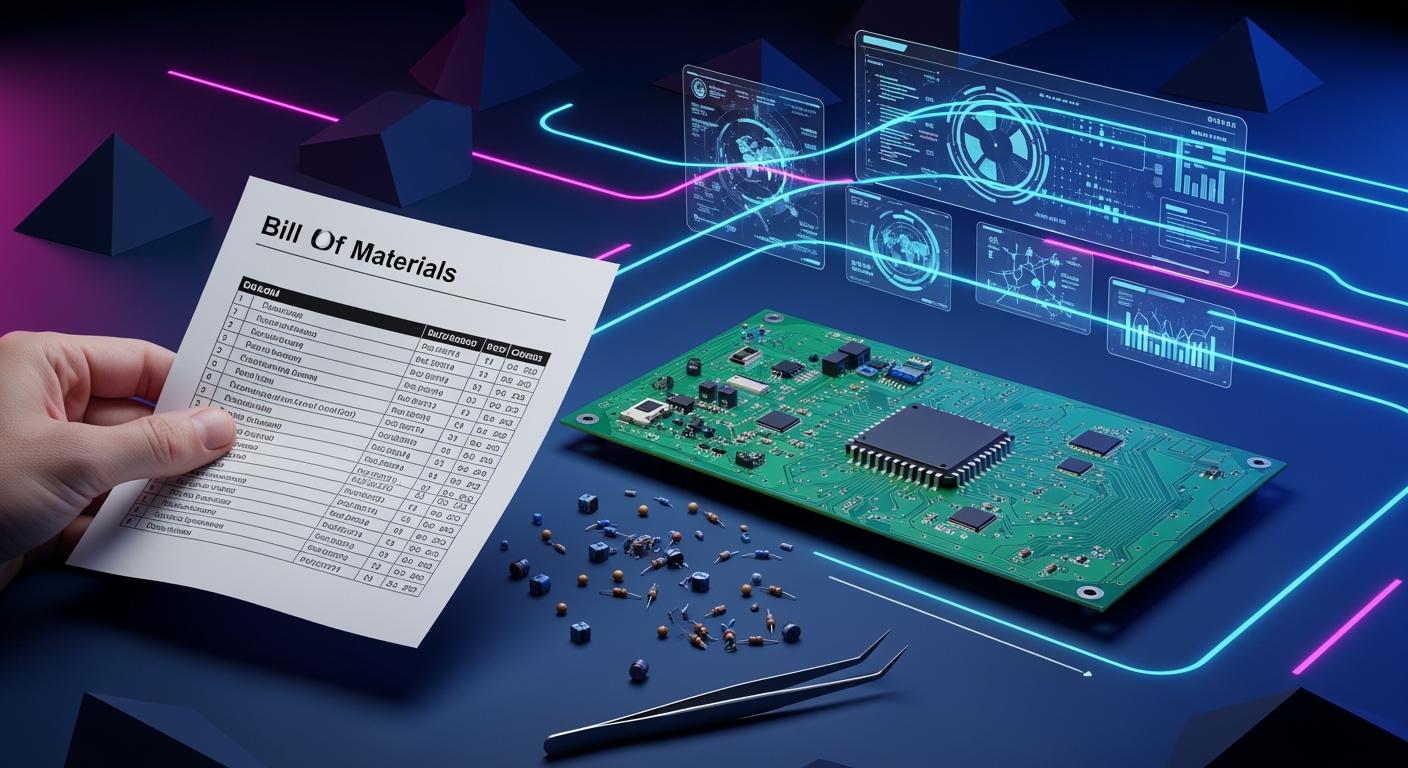
In PCBA manufacturing, a bill of materials is a full list. It shows every part, material, and instruction you need to make a printed circuit board. This document helps your team follow each step. It also stops mistakes with missing or wrong parts. The bom keeps your project moving forward. It helps engineers, buyers, and production teams talk to each other.
Impact Area | Explanation |
|---|---|
Material Requirements | The bill of materials shows all needed materials, so your team can buy parts on time. |
Cost Control | Your bom helps you figure out costs and change your budget if supplier prices change. |
Production Planning | It gives your team a clear plan, which helps you set up work and have less waiting time. |
Quality Control | Your bom connects each part to its supplier, so it is easier to find and fix quality problems. |
Communication | Everyone can see the same details, so there are fewer mistakes and less confusion. |
Engineering Changes | The bill of materials makes it easy to handle updates and keep everyone using the newest version. |
Key Takeaways
A Bill of Materials (BOM) is very important for PCBA manufacturing. It lists all parts and instructions needed. This helps teams avoid mistakes and delays.
Keeping your BOM updated is very important. An accurate BOM helps manage costs and track inventory. It also ensures materials are bought on time.
Good communication depends on a clear BOM. It lets engineers, buyers, and production teams share the same information. This reduces confusion.
Quality control gets better with a detailed BOM. It links parts to suppliers. This makes it easier to find and fix quality problems.
Using software tools for BOM management can make updates easier. It also improves teamwork, leading to fewer mistakes and faster production.
Bill of Materials in PCBA
What Is a Bill of Materials
You need a bill of materials to build electronics. In PCBA manufacturing, this file lists every part and instruction. It acts like a master checklist for your project. You can see all the materials and parts you need.
A good bill of materials helps you avoid delays and mistakes. It gives your team a clear plan and helps everyone work together.
Industry groups use standard definitions for the bill of materials. You can find these terms and their meanings in the table below:
Term | Definition |
|---|---|
Bill of Materials (BOM) | A list of materials, sub-assemblies, and parts needed to make a product. |
Product Structure | Another word for BOM, showing how parts are connected. |
Usage | Used for talking between partners or inside a factory, often linked to production orders. |
The bill of materials shows how parts and assemblies connect. You find quantities, changes, and where to buy parts in the bom. It helps manage materials, control inventory, and plan production.
When you make a bill of materials, you must add key fields. These fields help you find, buy, and track each item. Here are the most common fields:
Part names: Unique names for each part or material.
Part numbers: Special numbers to identify parts.
Descriptions: Short details about each part, like size or job.
Manufacturers: Names of companies that make the parts.
Quantity: How many of each part you need.
Unit of measure: How you count parts, like pieces or grams.
Costs: Price for each part and total cost.
Priority: Marks important parts for planning.
Levels: Shows where a part fits in the assembly.
Phases: Status like 'in design' or 'in production.'
Notes: Extra instructions or details.
Alternates: Other parts if the originals are not available.
You also need to list electronic component details, reference designators, supplier information, and storage materials. If you miss any of these fields, you might have errors and delays.
Role in PCB Assembly
The bom guides you through every step of pcb assembly. You use it to check which parts you need and how to place them. The bill of materials tells you the exact specifications for each component. You can track processing, calculate costs, and make sure you use the right materials.
Your team uses the bom to communicate between departments. Engineers, buyers, and production workers all rely on the same information. This reduces mistakes and confusion. You can see which parts belong to which modules and how they fit into the final design.
Quality control depends on the bill of materials. You identify each component accurately, which lowers the risk of errors. The bom supports product lifecycle management. You can trace materials and check compliance with standards like ISO or RoHS. If you use the wrong part or miss a revision, you may face safety risks or regulatory problems.
Different industries have special requirements for the bill of materials. For example, medical devices need biocompatible materials and strict traceability. Consumer electronics focus on high density and fast assembly. Automotive products require temperature resistance and vibration tolerance. You must tailor your bom to meet these needs.
If you make mistakes in your bill of materials, you can cause delays and extra costs. Common errors include missing parts, wrong quantities, non-standard components, and outdated files. You must keep your bom updated and use standard fields to avoid problems.
Tip: Always check your bill of materials before starting pcb assembly. Look for missing parts, wrong numbers, and compliance information.
The bill of materials is more than a list. It is your guide for assembly, buying parts, and quality control. You use it to plan, track, and deliver reliable products in pcba manufacturing.
Importance of BOM
Material and Inventory Control
You need a clear bom list to keep track of materials. The bom is like a map for making your product. It shows every part and raw material you must have. This helps you not forget anything and keeps your work on schedule.
You can watch your budget by checking inventory with the bom.
The bom warns you if you are running low on parts.
You keep good records, so you order the right components for pcb fabrication.
A detailed bom helps you build things faster and with fewer mistakes.
If you do not update your bom list, you may have problems. The table below shows common issues and how a good bom can help:
Challenge | Description |
|---|---|
Dynamic Nature of PCB Design | PCB designs change a lot, so you must update the bom to match. |
Timely Updates to BOM | If you wait too long to update, you might buy wrong parts and make mistakes. |
Need for Automated Management Tools | Automated tools help you buy parts quickly and make fewer errors. |
Cost and Production Planning
You use the bom to figure out costs and plan your work. A good bom lists all the parts you need and how many. This helps you add up costs and set the right price for your product.
The bom shows the price for each part, so you can make a budget.
You do not have to stop work because you know what you need before you start.
You can plan every step in pcb fabrication, so you do not run out of parts.
When you keep your bom list current, you make smarter choices about money and time. This makes your work go more smoothly.
Quality and Change Management
You use the bom to check quality and handle changes. The bom gives you a list of parts and what they must be like. This lowers the chance of using wrong parts and keeps your product safe.
A good bom helps you find and fix problems fast. Your team works better because everyone uses the newest information. This is important when you change your design or how you build things.
Consequence | Description |
|---|---|
Sourcing Risks | If your bom is wrong, it is hard to find the right parts, which can slow you down. |
Compatibility Problems | Bad management can mean parts do not fit together, so things break. |
Increased Rework | Mistakes in the bom can make you redo work, which costs more and takes longer. |
Tip: Always keep your bom list correct and updated. This helps you keep quality high and handle changes in pcb fabrication.
BOM Structure
Key Fields and Information
You must add certain fields to your bill of materials. These fields help you find and track parts easily. They also help you buy parts without confusion. Here are the most important fields you should use:
BOM level: Shows where each part goes in the assembly.
Part number: Gives a special code for every part. This helps you avoid mistakes.
Part name: Lists the name of each part so you can find it fast.
Phase: Tells you if the part is in design, testing, or production.
Description: Explains what the part is and how it is different.
Quantity: Shows how many of each part you need.
Unit of measure: Tells you how you count parts, like pieces or sets.
Procurement type: Lets you know if the part is standard or custom.
Always use clear part numbers and descriptions. This helps you and suppliers pick the right parts. You avoid errors by using the correct codes. If you use a manufacturer part number, you lower the risk of getting the wrong item. This matters when parts look alike but work differently.
Tip: A detailed BOM helps you find problems early. You save time and money by fixing mistakes before they happen.
Here is a sample BOM entry:
BOM Level | Part Number | Part Name | Description | Quantity | Unit | Procurement Type | Phase |
|---|---|---|---|---|---|---|---|
1 | 123-456 | Resistor 10kΩ | 10k Ohm, 1%, 0603 | 10 | pcs | Off-the-shelf | Production |
Hierarchical vs. Flat BOM
You can set up your BOM in two main ways. You can use hierarchical or flat structure. The way you choose depends on how complex your product is.
BOM Structure Type | Description | Use Case |
|---|---|---|
Hierarchical (Multi-level) | Organizes parts in parent-child groups. Shows how assemblies fit together. | Good for complex products with many sub-assemblies. |
Flat (Single-level) | Lists all parts at one level. | Works for simple products or certain stages. |
A hierarchical BOM breaks your product into smaller groups. This helps you see how each part fits in the design. You use this for complex products. A flat BOM puts all parts in one list. You use this for simple products or when you need a quick list for one stage.
Note: Complex designs often need a hierarchical BOM. This helps you manage costs and avoid mistakes during manufacturing.
BOM Management
Itemization and Standardization
You need to list every part in your bill of materials for smt. Listing parts helps you keep track and stops mistakes in production. Standardization makes your BOM simple to read and use. Always update your data and use clear names for each part. If you use the same costing methods, you can compare prices and see what costs the most.
Keep correct data for all materials and labor.
Use templates from manufacturers to avoid format problems.
Change your BOM to fit production needs.
Check your BOM before smt manufacturing begins.
Standardized BOM entries let you buy parts in large amounts, which saves money. You also spend less time changing setups in smt by using fixed reel sizes and feeder setups. Using the same parts makes production more reliable.
Benefit | Description |
|---|---|
Consolidated Volume | Standardizing common parts lets you buy in bulk, which lowers costs for customers. |
Lower Attrition | Fixed reel sizes and feeder setups cut changeover time, so production delays are less. |
Higher Reliability | Using the same parts across designs helps manufacturing succeed more often. |
Tip: Always check your BOM to make sure it is complete and correct before smt manufacturing starts.
Change Tracking and Revision Control
You need strong change tracking and revision control to keep your BOM correct. Use a naming system with the date, version number, and project name. Make a formal process for making and approving changes. Write down every change in a log so you know what was changed, why, and who did it.
Use version control software to handle BOM updates.
Connect BOM versions to PCB design versions for tracking.
Only let trusted team members change the BOM.
Keep backups of all BOM versions often.
Add a revision history table in your BOM document.
Electronic revision control systems keep a record of all changes. This helps you fix problems and follow rules. When you update your BOM, changes show up everywhere, making smt production more accurate. Correct, updated BOMs help you buy the right materials and stop shortages.
Note: Always tell your team when you release a new BOM version. Training helps everyone learn the revision process.
Tools and Templates
You can use software tools to manage your BOM for smt. These tools help you handle multi-level BOMs, automatic updates, and compliance tracking. Some popular tools are ECI M1, Cetec ERP, and Infor CloudSuite Industrial. These tools help with job quoting, vendor-approved substitute parts, and advanced planning.
Software Tool | Key Features | Pricing |
|---|---|---|
ECI M1 | Handles multi-level BOMs, automatic updates, revision control, compliance tracking | Starting at $3,000/month |
Cetec ERP | Job quoting, unique BOM creation, vendor-approved substitute parts | Starting at $50/user/month |
Infor CloudSuite Industrial | Advanced planning and scheduling, resource management | N/A |
BOM templates give you a clear format. They help you organize part information and stop errors. A correct BOM keeps smt production from delays and mistakes. Templates make updates easier and keep your BOM the same. You must keep your BOM updated for smooth production.
Tip: Digital BOM management systems cut manual entry mistakes and give real-time data access. This saves time and helps teams work together during smt manufacturing.
You are important in PCBA manufacturing when you make a strong bill of materials. A good BOM helps you plan, buy, and put parts together with fewer mistakes. You get clear benefits in quality, cost, and how fast you work.
Benefit | Description |
|---|---|
Efficient resource allocation | You use resources well and avoid delays. |
Reduced production errors | You make fewer mistakes and improve quality. |
Cost savings | You save money by buying more at once and wasting less. |
Enhanced collaboration | You help teams work together and finish projects quickly. |
Many companies have gotten better results by improving BOM practices:
Medical device makers finished faster and saved lots of money.
Automotive teams made prototypes sooner and used fewer parts.
Consumer electronics companies made more profit with better inventory control.
Global manufacturers saved money by keeping BOM data in one place.
You can follow best steps and use digital tools to make your BOM better. This helps you build good products and stay ahead in PCBA manufacturing.
FAQ
What is the main purpose of a BOM in pcb design?
You use a BOM to list every part and material for your pcb design. This helps you plan, buy, and track all items. You avoid missing parts and keep your project on schedule.
How does a BOM help with pcb design changes?
When you update your pcb design, you must change the BOM. This keeps your team working with the latest parts. You can track changes and avoid mistakes during assembly.
Why do you need to standardize part numbers in pcb design?
Standard part numbers make your pcb design process smooth. You find and order parts faster. You also lower the risk of using the wrong components in your project.
Can you use software tools for managing BOMs in pcb design?
Yes, you can use software tools to manage BOMs for pcb design. These tools help you update lists, track changes, and share information with your team. You save time and reduce errors.
What happens if you miss a part in your pcb design BOM?
If you miss a part in your pcb design BOM, you may face delays. Your assembly line could stop. You might also spend more money fixing mistakes or ordering missing parts.
See Also
Essential Tips for Sourcing BOM in PCBA Projects
Key Materials Required for Effective PCBA Production
How to Procure Electronic Components for PCBA Manufacturing
Comprehensive Overview of PCBA Manufacturing Techniques for All
Understanding PCBA: Components and Their Functions Explained
