Must-Know PCBA Terms for Electronics Purchasing
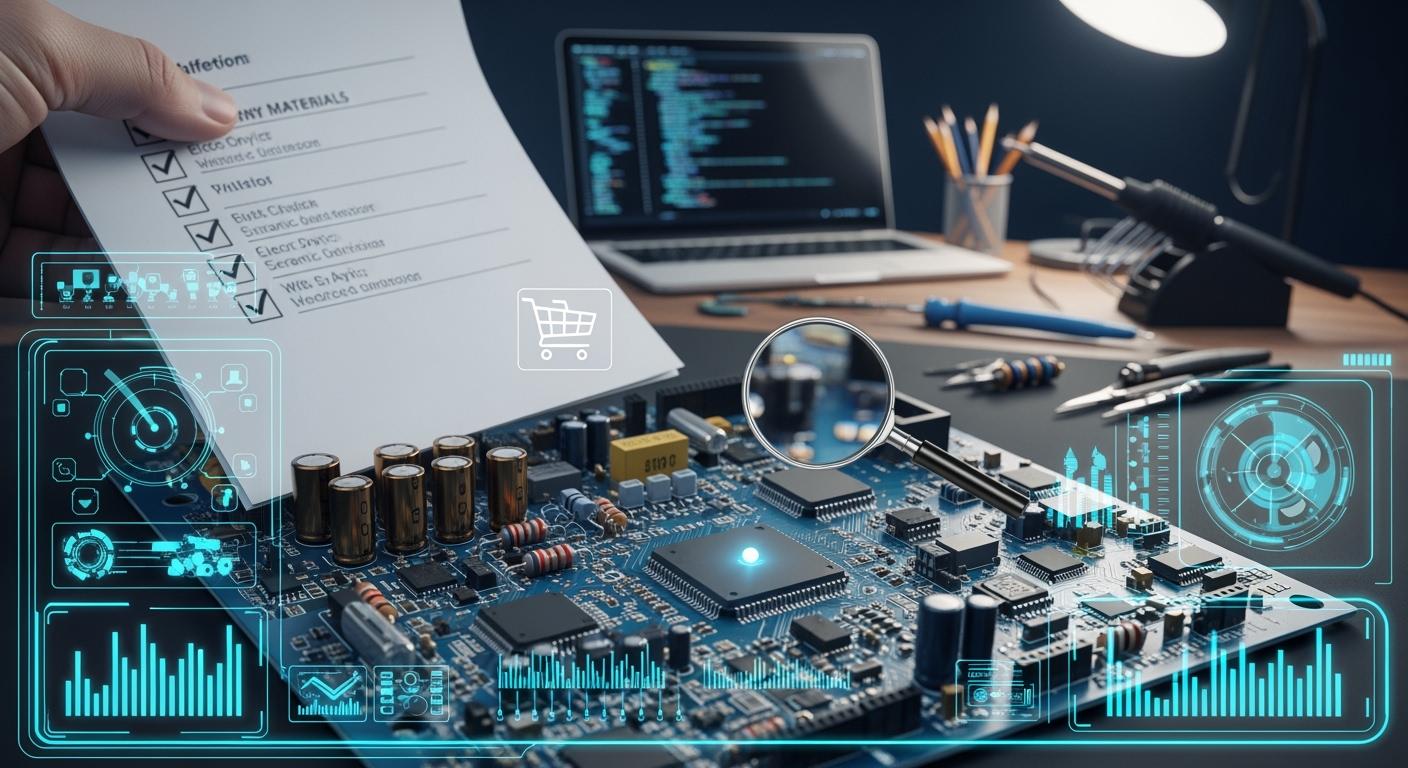
You face many choices when buying electronics. You need to understand PCBA Terms to avoid mistakes. Many people mix up PCB and PCBA, but they mean different things. If you use the wrong words, you might get the wrong electronics or pay too much. Clear words help you get high-quality electronics. Smart buyers learn these terms and talk with suppliers easily. You make better decisions and protect your electronics business.
Key Takeaways
Know the difference between PCB and PCBA. A PCB is only the main board. A PCBA has all the electronic parts on it. This knowledge helps you not make expensive mistakes.
Always look at your Bill of Materials (BOM) before you order. A full BOM makes sure you have every part you need. This stops delays and extra spending.
Learn about Surface Mount Technology (SMT) and Through-Hole Technology (THT). Knowing these ways helps you pick the best assembly for your project.
Ask your supplier about lead times and minimum order quantities (MOQ). This helps you plan well and control your costs.
Ask your supplier for quality certifications like IPC or RoHS. These papers show your PCBA is safe and meets quality rules.
PCBA and PCB Basics
What is a Printed Circuit Board?
A printed circuit board, or PCB, forms the backbone of almost every electronic device you use. You can think of a PCB as a flat board that holds and connects all the electronic parts. It uses thin lines of metal, called traces, to carry electricity and signals between components.
Here is a quick look at what a PCB does:
Provides strong support for electronic parts.
Connects different components to make a complete circuit.
Lets electricity and signals flow so your device works.
Helps keep parts cool by moving heat away.
Protects parts from outside damage.
Term | Definition |
|---|---|
PCB | A board that contains a conductive material and components, which act in synchrony to produce a designed response. PCBs rely on electrical circuits, which are either printed or soldered onto the board to elicit the desired result. |
Many people think a PCB is ready to use right away, but that is not true. You need to add parts before it can work.
What is Printed Circuit Board Assembly?
Printed circuit board assembly, or PCBA, means you take a PCB and add all the electronic parts to it. You use machines and tools to place and attach things like chips, resistors, and capacitors. The process includes several steps:
Check the design and parts list.
Place parts on the board using machines.
Solder the parts so they stay in place.
Clean the board to remove any dirt or extra material.
Inspect and test the finished board.
Add a protective coating if needed.
The quality of the assembly process affects how well your device works. Good soldering and careful placement of parts make your electronics last longer.
PCB vs. PCBA: Key Differences
You need to know the difference between a PCB and a printed circuit board assembly. If you mix them up, you might order the wrong thing or pay too much. Here are some common mistakes:
Many buyers think a PCB is ready to use, but it is not.
Some believe a PCB and a PCBA are the same thing.
Others do not realize that a PCB is just the base, while a PCBA is the finished product.
Term | Definition |
|---|---|
PCB | A printed circuit board used to support and connect electronic components. |
PCBA | A printed circuit board assembly with components soldered onto it, such as integrated circuits or capacitors. |
If you understand these basics, you can make better choices. You will avoid mistakes that can hurt product quality or increase costs. You will also talk more clearly with suppliers and get the right product for your needs.
Essential PCBA Terms for Buyers
Knowing important pcba terms helps you make good choices. You will not get confused. You make fewer mistakes and get better results. Here are the main pcba terms you should know:
Bill of Materials (BOM)
A bill of materials, or BOM, lists every part you need. You use this list to tell your supplier what to include. A full BOM stops you from missing parts. It keeps your project moving.
A BOM for PCBA projects usually has:
Part numbers
Descriptions
Quantities
Unit measures
Procurement types
Reference designators
Notes
A correct BOM makes sure you have all the parts. If your BOM is wrong, you might have delays or run out of parts. This can cost more money and slow your project. The BOM is like a plan for making things. It helps you check if parts are ready and plan costs. You use the BOM to keep your work neat and fast.
Tip: Always check your BOM before you send it. This step saves time and money.
Surface Mount Technology (SMT)
Surface mount technology, or SMT, puts parts right on the PCB. Most new electronics use SMT. It lets you make smaller and more complex boards. SMT helps fit more parts on one board. This is good for things like phones and laptops.
Some main benefits of SMT are:
Smaller circuits for tiny products
Lower power use, which saves energy
Better performance, especially at high speeds
Faster and more accurate assembly with machines
Parts can go on both sides of the PCB
SMT is now used for most electronics. You get faster production, lower costs, and better quality with SMT.
Through-Hole Technology (THT)
Through-hole technology, or THT, is an older way to put parts on a PCB. You push parts with wire leads through holes in the board. Then you solder the leads on the other side. THT is still useful for some jobs.
You pick THT when you need:
Stronger connections for products that must last
Electronics that face tough conditions, like in military or space
Easy swapping of parts when testing
THT costs more for big orders because it needs more hand work. For small jobs, THT can be cheaper because setup is easier. You should compare THT and SMT before you start your PCBA.
Pick and Place
Pick and place means machines put parts on the PCB. These machines are important in making electronics today. You see pick and place machines in many fields, like cars, medical devices, and phones.
Pick and place machines help you by:
Making things faster and lowering labor costs
Putting parts in the right spot, so there are fewer mistakes
Using cameras to check and fix part placement as they work
Handling thousands of parts each hour for quick assembly
Making products better by reducing defects
Pick and place technology gives you faster and more reliable results.
Soldering Types
Soldering connects parts to the PCB. The solder you pick changes how strong and good the connection is. Here is a table with common solder types and their benefits:
Solder Type | Composition | Benefits |
|---|---|---|
Leaded Solder | Tin and lead (60/40 or 63/47) | Melts at lower heat, shiny joints, easy to check, used for a long time |
Lead-Free Solder | Tin with antimony, copper, silver | Recyclable, safer, follows rules, non-corrosive flux options |
Solder Paste | Metal powder and flux | Holds SMT parts, different types for different jobs |
Rosin-Based Paste | Sourced from pine trees | Non-corrosive, helps electronics last longer, needs special cleaning |
Water-Soluble Paste | Glycol and organic materials | Easy to clean, can use water |
No-Clean Paste | Minimal residue | Saves work, non-corrosive, may need careful checking for fast circuits |
Good soldering is very important. Good solder joints make electronics work well. Bad soldering can cause problems or failures.
Key PCBA Components
You should know the main parts used in PCBA. These parts change how your product works and what it costs. Here are the most important ones:
Resistors: Control current and set voltage.
Capacitors: Store and release energy, help with timing.
Inductors: Manage changes in current and filter signals.
Diodes: Let current go one way, protect against wrong voltage.
Transistors: Work as switches or amplifiers, help with signals.
ICs (Integrated Circuits): Put many functions in one chip, save space, and make things work better.
Connectors: Link parts, make sure they talk to each other.
Specialized elements: Custom parts for special jobs, make systems work better.
Your choice of parts changes cost and performance. Special or fancy parts cost more but work better. Fine-pitch or BGA packages need careful SMT work, which can cost more. Using common parts can help you save money.
Note: Always check your parts list with your supplier. This step helps you avoid mistakes and makes sure you get the right parts.
By learning these pcba terms, you become a smarter buyer. You can talk clearly with suppliers, avoid mistakes, and make better choices for your electronics business.
PCBA Process and Quality Terms
Knowing the PCBA process helps you keep quality high. It also helps you avoid expensive mistakes. You should learn the main steps and words suppliers use. This knowledge helps you set clear rules. It lets you check if your products are good.
Step | Description |
|---|---|
Engineering review | First look at design files, including Gerber data and assembly limits. |
BOM sourcing | Finding and buying parts, making sure they are correct and ready. |
PCB fabrication and assembly | Making bare boards and then adding parts with soldering and placement. |
Inspection, testing, and shipment | Final checks using different tests before packing and shipping. |
PCB Design Review
You begin with a PCB design review. This step checks your Gerber files. It makes sure your design for manufacturing and design for assembly rules are right. You want to find mistakes early. A good review looks for problems that can slow production or cause defects. Ask your supplier if they use dfm and dfa checks. These checks help you avoid delays and extra costs.
Inspection and Testing (AOI, ICT, FCT, X-Ray)
Strong inspection and testing make sure your PCBA works well. Suppliers use different ways to check quality. Here are the most common types:
Type of Testing | Description |
|---|---|
Visual Inspection | Finds common defects by looking for things that do not look right. |
Automated Optical Inspection (AOI) | Uses cameras to check lots of boards, comparing them to good examples. |
In-Circuit Testing (ICT) | Measures voltage and current in the circuit to find bad parts. |
Functional Testing | Checks if the PCB works using different ways, like manual testing and fault simulation. |
Stress Testing | Tests the board under tough conditions, like heat and burn-in. |
Environmental Testing | Checks how the board handles things like moisture and shaking. |
You should ask about the acceptable quality limit for your order. AQL tells you how many defects you can allow. This helps you set clear rules with your supplier.
IPC Standards
You need to know about ipc standards. These rules tell suppliers how to build and test your PCBA. Using ipc standards means you get fewer mistakes and better fit with other products. Many buyers ask for ipc because it makes production easier and boosts sales. Some contracts, like government orders, need ipc compliance.
Impact of IPC Standards | Description |
|---|---|
Fewer errors | Lowers mistakes, so you spend less fixing things and have fewer failures. |
Better compatibility | Gives a common guide for quality, helping suppliers around the world work together. |
Streamlined production | Makes processes the same, so work is faster and lead times are shorter. |
Increased sales | Following IPC standards helps you compete and is needed for some contracts, like government jobs. |
Component Quality and Reliability
You must check the quality of every part you use. Good parts make your PCBA last longer. Look for parts that meet standards like ISO 9001, IEC 61000, ISO/TS 16949, UL, and RoHS. These standards check for safety, strength, and resistance to interference. Aging, rust, and material mixing can also affect reliability. Ask your supplier how they handle these risks.
Tip: Always ask for test reports and certificates for your parts. This step helps you avoid problems later.
By learning these process and quality terms, you can set clear rules. You can check your supplier’s work. You get better results for your electronics projects.
Purchasing and Supply Chain Terms
When you know supply chain words, you can plan better. You will not have as many delays. You can keep costs low and avoid problems. You also talk better with your cm or ems partner.
Lead Time
Lead time is how long you wait for your order. It starts when you order and ends when you get it. Every electronics project has a different lead time. The time changes if your order is big or hard to make. Here is a table to help you see the times:
Type of Production | Average Lead Time |
|---|---|
Prototype PCB Assembly | 3–7 working days |
Low to Medium Volume Production | 10–15 working days |
Mass Production PCB Assembly | 2–4 weeks (depending on complexity) |
You should ask your cm or ems how long it will take. This helps you get your products on time.
MOQ (Minimum Order Quantity)
MOQ means the smallest number you can order. Your cm or ems decides this number. It changes your price and which supplier you pick.
If a supplier’s MOQ is 2,000 units, you get an 8% discount.
High MOQs can save you 15-35% with bulk prices. But you need more money and space to store them.
Low MOQs let you buy less and pay less at first. But each item costs more and you do more paperwork.
You need to think about cost and how much you want to buy when you pick your service.
Turnkey vs. Consigned
You can choose turnkey or consigned from your cm or ems. In turnkey, the ems buys all the parts and does everything. In consigned, you give the parts and they just put them together. Turnkey saves you time and lowers risk. Consigned lets you pick your own parts.
RoHS Compliance
RoHS is a rule from the European Union. It stops bad chemicals in electronics. You must follow RoHS if you sell in many places. RoHS does not allow lead, mercury, cadmium, hexavalent chromium, PBB, or PBDE. You need proof and records to show you follow the rule. You must use safe parts, lead-free solder, and check your supply chain.
Service Levels from Assembly Houses
Service levels tell you what your cm or ems will do for you. You should see if your ems gives fast quotes, helps with design, and uses computer tools. Good service means fewer mistakes and faster work. You get better products and less risk if you pick the right company.
Tip: Always ask your ems about service and shipping help. This keeps your project going well and stops surprises.
When you understand PCBA terms, you make smarter choices and avoid costly mistakes. You talk clearly with suppliers and get better products. To stay ahead, you can:
Build a team to track new rules and materials.
Use eco-friendly parts and improve your process.
Work closely with suppliers and join industry groups.
Design boards for easy recycling.
Train your team on new standards.
Keep learning and you will succeed in electronics purchasing.
FAQ
What is the difference between PCB and PCBA?
You use a PCB as the base board. You get a PCBA when you add all the electronic parts to the PCB. A PCBA is ready to work in your device.
Why does the Bill of Materials (BOM) matter?
You use a BOM to list every part for your project. A correct BOM helps you avoid missing parts. You save time and money by checking your BOM before ordering.
How do I know if my PCBA meets quality standards?
You ask your supplier for IPC or RoHS certificates. You can also request test reports. These documents show your PCBA meets safety and quality rules.
What does lead time mean for my order?
Lead time tells you how long you wait for your PCBA. You count from the day you order to the day you receive it. You should always ask your supplier for this time.
Can I use both SMT and THT on one board?
Yes, you can mix SMT and THT on one PCB. You use SMT for small parts and THT for strong or special parts. This method gives you more design options.
See Also
Understanding The Meaning Of PCBA In Electronics
Sourcing Electronic Components For PCBA Production
Defining PCBA And Its Key Components
