Industrial IoT (IIoT) Gateway PCBA Manufacturing
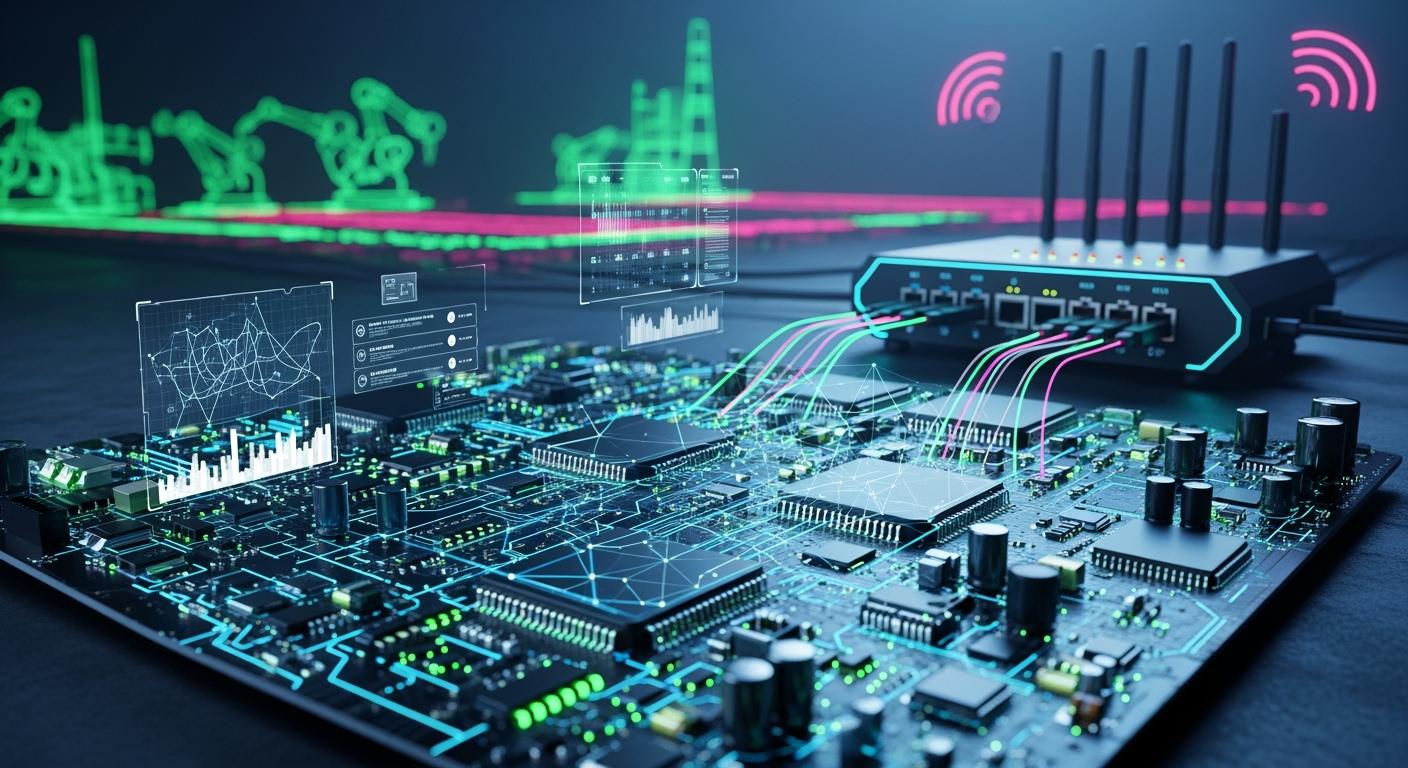
You use industrial IoT gateway PCBA manufacturing to make the main part of your smart factory. This process gives you printed circuit board assemblies that help strong hardware and safe connections. An industrial IoT gateway links old machines to new networks, works with many types of connections, and handles data close to where it is made. You get features that can grow, remove extra data, lower network traffic, and make work easier. With IIoT solutions, you make sure everything works together well and your factory runs better.
Key Takeaways
Industrial IoT gateways help old machines talk to new networks. This lets data move better and helps machines share information.
Real-time monitoring gives quick updates on production lines. This makes work faster and keeps people safer.
Picking the right hardware and parts is very important. It helps machines last longer and work well in tough factories.
Edge computing makes things work better by handling data nearby. This cuts down waiting time and saves network space.
You can build your own gateway or buy one that is ready. The best choice depends on what you need and what you have.
Role of Industrial IoT Gateway
OT and IT Integration
You need an industrial iot gateway to help your machines talk to your business computers. This device works like a translator for operational technology and information technology. You can connect old machines to new data systems without buying new ones. The industrial iot gateway helps devices share information and keeps data in the same format. It also removes extra data you do not need, so your network is less busy. More than 65% of factories use protocol gateways to link OT and IT. This step-by-step method helps you make your plant smarter.
Here is how an industrial iot gateway connects OT and IT:
Function | Description |
|---|---|
Protocol Translation | Helps PLC-based automation talk to TCP/IP networks. |
Data Aggregation | Gathers and sorts data from many places for easier use. |
Real-time Monitoring | Shows what is happening right now for fast choices. |
You can trust the industrial iot gateway to keep your data safe and neat as it moves between systems.
Real-Time Monitoring and Control
You use an industrial iot gateway to watch and control your factory in real time. This device gathers data from sensors, machines, and other tools. It quickly checks the information and sends updates to your team. You can see what is happening on your production line right away. You do not have to wait for reports or check machines by yourself.
Some common ways to use real-time monitoring and control are:
Watching the production line for quick updates.
Keeping track of equipment and tools.
Checking the workplace and worker health for safety.
Fixing machines before they break with predictive maintenance.
Watching energy use to save money.
The industrial iot gateway also uses edge computing. It handles data close to where it is made, so your system is faster and works better. You can count on the industrial iot gateway to keep your messages safe and your work smooth. With iot gateway solutions, you get a custom iot gateway that fits your needs. The industrial internet of things needs these devices to connect, watch, and control your factory. You can make your iiot setup better and make smarter choices with the right industrial iot gateway.
PCBA Manufacturing Steps
Requirements and Specifications
You start your industrial IoT gateway project by listing what you need. You must know how your gateway will work in your factory. You make sure your device can connect machines, sensors, and the cloud for smooth data flow. You choose strong security, like good passwords and regular updates. You pick hardware that works with your current machines. You decide if you want to build a custom gateway or buy one that is ready to use. Your list should include a CPU, RAM, communication modules, and safety features.
Here are the main requirements for an iot-ready pcb:
Match the gateway to your factory’s needs.
Make sure the gateway connects devices and the cloud.
Use strong security steps.
Pick hardware that fits your machines.
Choose between a custom or pre-made gateway.
Include a CPU, RAM, and communication modules.
Add safety features for industrial use.
Hardware and Component Selection
You must pick the right parts for your iot-ready pcb. You look at the environment in your factory. You check for heat, dust, and chemicals. You make sure your parts can handle these conditions. You follow rules like ISO, IEC, and IPC for safety and quality. You choose parts that last a long time and work well with your network. You also think about how your edge gateway will manage heat.
Here are some things to check when you pick hardware:
Can the parts handle high or low temperatures?
Will dust or chemicals hurt the parts?
Do the parts meet safety rules?
Do you need 5G, Wi-Fi, or other ways to connect?
Does the design help with heat?
You also need to choose the right microcontroller or processor. Here is a table to help you compare:
Microcontroller | Key Features | Clock Speed | Connectivity Options |
|---|---|---|---|
ESP32 | Integrated Wi-Fi and Bluetooth, dual-core | Up to 240 MHz | Wi-Fi, Bluetooth |
STM32 | Wide range of MCUs, advanced peripherals | 48 MHz to 550 MHz | Various (depends on model) |
PCB Design and Layout
You design your pcb to make sure it works well in your industrial iot gateway. You use several layers to keep power, ground, and signals apart. You keep traces short and wide to help signals stay clear. You add special features to move heat away from hot spots. You plan your layout to avoid noise and keep signals strong.
Here are the best steps for pcb design:
Use many layers to separate power, ground, and signals.
Keep traces short and wide.
Add thermal vias and copper pour for heat.
Use good grounding to keep signals clean.
Design for easy manufacturing.
Add shielding to stop noise.
You can see how layout choices affect your pcb in this table:
Factor | Impact on Signal Integrity and EMC |
|---|---|
Impedance Matching | Keeps signals strong and clear. |
Grounding Design | Reduces noise and crosstalk. |
Component Arrangement | Lowers interference, helps high-speed signals. |
Trace Width and Spacing | Keeps signal quality high, stops line effects. |
Material Selection | Avoids signal loss and phase problems. |
Assembly and Soldering
You start assembly after you finish your pcb design and get your parts. You use surface mount technology to place parts on the board. This method gives you strong and reliable connections. For through-hole parts, you use wave soldering for many joints at once or selective soldering for special spots. You check your work at each step.
Here are the main assembly and soldering steps:
Use surface mount technology for most parts.
Use selective soldering for special parts.
Check part placement with multi-layer inspection.
Use automated optical inspection to find errors.
Testing and Quality Assurance
You test your pcb to make sure it works well as an edge gateway. You use 3D solder paste inspection to check the paste before you place parts. You use automated optical inspection to check for errors after assembly. You use X-ray inspection to look inside the board. You run in-circuit tests to check each part. You use functional tests to see if the whole iot device works. You also test your pcb in hot, cold, and wet conditions.
Here is a table of common testing methods:
Testing Method | Description |
|---|---|
3D SPI | Checks solder paste with 3D images. |
3D AOI | Looks for errors in three dimensions. |
3D X-ray inspection | Checks inside the board without damage. |
In-circuit test (ICT) | Tests each part on the pcb. |
Functional circuit test (FCT) | Checks if the pcb works as a whole. |
Boundary scan | Tests connections between chips. |
Environmental stress screening | Checks if the pcb works in tough conditions. |
EMC pre-compliance testing | Checks for electromagnetic safety. |
You follow a plan to meet industrial standards. You check parts when they arrive. You inspect and test at every step. You use custom tests to make sure your iot device works in your factory. You use risk management to keep quality high and lower problems.
Tip: Good sensor integration and strong testing help your industrial iot gateway last longer and work better.
Key Components in IoT Gateway
Sensors and Actuators
Sensors and actuators help your industrial IoT gateway work smart. Sensors collect data from machines, air, or temperature. They change this data into signals your gateway can read. Actuators get commands from the gateway and do things, like move a motor or open a valve. You get quick data and fast actions. Sensors and actuators work together to keep your system running well.
Sensors pick up data from their surroundings and turn it into useful information.
Actuators follow commands from the gateway and make things happen based on the data.
Both help with real-time data and quick processing, which is important for good communication in industrial IoT systems.
Note: You need sensors and actuators for a full industrial IoT setup. Sensors let you watch, and actuators let you control.
Communication Modules
Communication modules connect your gateway to other devices and networks. These modules use Wi-Fi, Bluetooth, or cellular to send and get data. You pick the right module for your factory. Some factories need wireless, others use wires. Communication modules help your gateway share information fast and safely.
Here is a table showing key parts in an industrial IoT gateway:
Component | Description |
|---|---|
Microcontroller | Runs the device, follows instructions, and manages operations. |
Sensors | Find and measure things, then turn them into signals for data analysis. |
Communication modules | Let devices connect and share data using Wi-Fi, Bluetooth, or cellular. |
Power supply | Gives steady power with voltage regulators and batteries. |
Other supporting components | Include memory chips, display modules, and actuators to add more features and help users. |
Reference Architectures
Reference architectures help you design your industrial IoT gateway. They show how to connect sensors, actuators, and communication modules. You use a device layer to manage sensors and a drivers layer for software communication. Reference architectures help you build gateways that work well in factories. You get a clear plan for connecting devices, handling data, and keeping your system safe.
Tip: Reference architectures make building and fixing your gateway easier. You save time and avoid mistakes by using proven designs.
Manufacturing Challenges and Considerations
Connectivity and Protocols
You face special iiot challenges when connecting old machines. Many factories use equipment that does not work with modern networks. You need non-invasive sensors and protocol translators to help these machines share data. Reliable connectivity is very important in factories. You must support both wired and wireless connections. Some common protocols are EtherCAT, EtherNet/IP, OPC UA, Profinet, Modbus, BACnet, TCP/IP, Zigbee, Bluetooth, and LoRaWAN. Each protocol helps your iot gateway talk to different devices. You must pick the right mix for your factory to keep data moving well.
Edge Computing Features
You make your industrial iot gateway better with edge computing. This means you process data close to where it is made. You get faster results and use less bandwidth. Here is a table that shows how edge features help your system:
Feature | Benefit |
|---|---|
Reduced latency | You get quick answers without waiting for the cloud. |
Bandwidth optimization | You send only important data, saving network costs. |
Resilience | Your system keeps working even if the internet goes down. |
Privacy and compliance | You keep sensitive data on-site for better control. |
Edge computing makes your iot system stronger and ready for tough jobs.
Security and Reliability
You must think about security from the start. Security by design keeps your data safe. You use secure communication protocols like TLS or SSH. You add hardware-based security with Trusted Platform Modules. You update your devices often to stop attacks. You protect endpoints because hackers target these spots. You also build strong hardware to stop physical attacks. For reliability, you use rugged designs, conformal coatings, and parts that work in hot or cold places. You make sure your gateway can handle dust, moisture, and mechanical stress. You reinforce connectors and use controlled solder profiles for thermal stability. Good maintenance and regular checks keep your system running.
Build vs. Buy Options
You must decide if you want to build your own gateway or use a ready-made gateway. Building lets you pick every part and add special features. This is good if you have special needs or want full control. A ready-made gateway saves time and often costs less. You get support and updates from the maker. You must check if the gateway fits your factory’s needs. Think about maintenance, support, and how easy it is to add new features. Both options have pros and cons. You must choose what works best for your industrial setup.
You make your IIoT gateway strong by using good steps. Start with tough materials and careful assembly. Make sure your gateway connects safely. Look at the table to see how gateways compare:
Gateway Model | Cellular Connectivity | Strengths | Weaknesses |
|---|---|---|---|
Raspberry Pi 4 Model B | Needs extra dongles | Cheap, flexible | Not factory-ready |
Siemens Simatic IoT2050 | Needs Mini PCIe cards | Reliable, works with Siemens PLCs | Harder to learn |
Robustel EG5120 | Built-in Global 4G LTE | Fast, cellular built in | N/A |
Test your PCBs with AOI and X-ray to check for problems.
Think about your business goals and use retrofit kits for easy upgrades.
Pick materials that stop signal loss and overheating.
Tip: If you use these steps, your IIoT gateways will last longer and help your factory work well.
FAQ
What is a PCBA in an industrial IoT gateway?
A PCBA is a printed circuit board assembly. It is the main hardware part in your gateway. It connects sensors, processors, and communication modules. This lets your gateway collect and send data.
How do you choose the right communication module?
You look at what your factory needs. You pick Wi-Fi, Bluetooth, or cellular. You think about range, speed, and reliability. You check if the module works with your other devices.
Why is edge computing important for IIoT gateways?
Edge computing lets your gateway process data near where it is made. You get faster results and use less network bandwidth. This helps your system work better and stay reliable.
How do you keep your IIoT gateway secure?
You use strong passwords and update your software often. You add hardware security like TPM chips. You use secure protocols such as TLS. You also test your gateway for weak spots.
See Also
Exploring The Role Of Industrial Serial Screen PCBA
DIP PCBA Manufacturing: Processes, Quality Assurance, And Uses
Sourcing Electronic Components For Effective PCBA Production
Essential Tips For Designing Industrial Controller PCBs
Enhancing Business Efficiency Through PCBA Contract Manufacturing
